Image to 3D works best with a clear subject, simple background, visible edges, and enough detail for Meshy to infer depth.
Image to 3D workflow
Meshy AI Image to 3D Guide
Meshy AI image to 3D is useful when you already have a photo, sketch, product reference, or concept image and want a 3D model draft that follows the visual direction.
This is an independent informational guide. Always confirm live plan limits and product details on Meshy before purchase or production use.
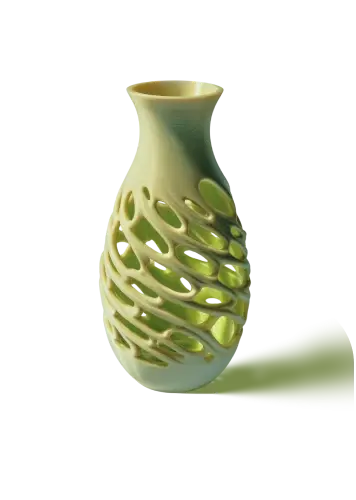
Quick answer
What to know before you click through
Product mockups, character references, 3D printing ideas, props, and concept art are practical starting points.
Busy backgrounds, cropped objects, heavy reflections, and low-resolution images can lead to messy geometry.
Input quality
Better reference images create better 3D drafts
The most important image-to-3D decision happens before upload: choose a reference where the main object is easy to separate from the background. Strong silhouettes, visible corners, and consistent lighting help the model infer shape.
For product images, use a clean front or three-quarter view. For sketches, remove extra notes and keep the shape readable. For characters or props, avoid poses that hide important parts of the model.
Input type
Good for
Check before export
Product photo
Mockups and concept views
Scale, proportions, surface details
Sketch
Early design exploration
Missing back-side detail and depth assumptions
Character art
Stylized drafts
Pose, topology, rigging suitability
Object reference
Props and print concepts
Thin parts, holes, and printability
Review
Image to 3D still needs human judgment
Image to 3D can shorten the blank-canvas stage, but it should not be treated as a final manufacturing or production model without inspection. Check shape accuracy, texture placement, export format, and whether the mesh needs cleanup.
If your goal is repeatable output at scale, compare the credit cost and retry rate on the pricing guide before committing to a paid workflow.
FAQ
Meshy AI Image to 3D Guide FAQ
Can Meshy AI turn a photo into a 3D model?
Yes. Meshy's image-to-3D workflow can generate a 3D asset from photos, sketches, and reference images.
What kind of image works best?
A clear image with one main subject, good lighting, visible silhouette, and minimal background clutter works best.
Can image to 3D be used for product design?
Yes. It is useful for product concepts and mockups, though final production files still need manual review.
Is image to 3D better than text to 3D?
It depends on the input. Image to 3D is better when you have a strong visual reference; text to 3D is better for exploring an idea from scratch.
Ready to check Meshy?
Open Meshy to verify current pricing, credits, account options, export support, and API access before starting a serious workflow.
Open Meshy AI